Deutsch · English

Aristodoc
Find your documents again.
Where did that 2022 tax notice go? When does the garage invoice have to be paid? And what is actually in “New folder (3)”?
Aristodoc reads the documents in the folders you choose and makes them findable, including scans and phone photos of letters. It shows what belongs together, collects deadlines and suggests where to file things. Nothing is moved, renamed or deleted without your confirmation.
Get it from the Microsoft StoreFor Windows 10 and 11 · free · no account needed
Find it, even without the right word
- Search covers every page of every document, including scanned letters.
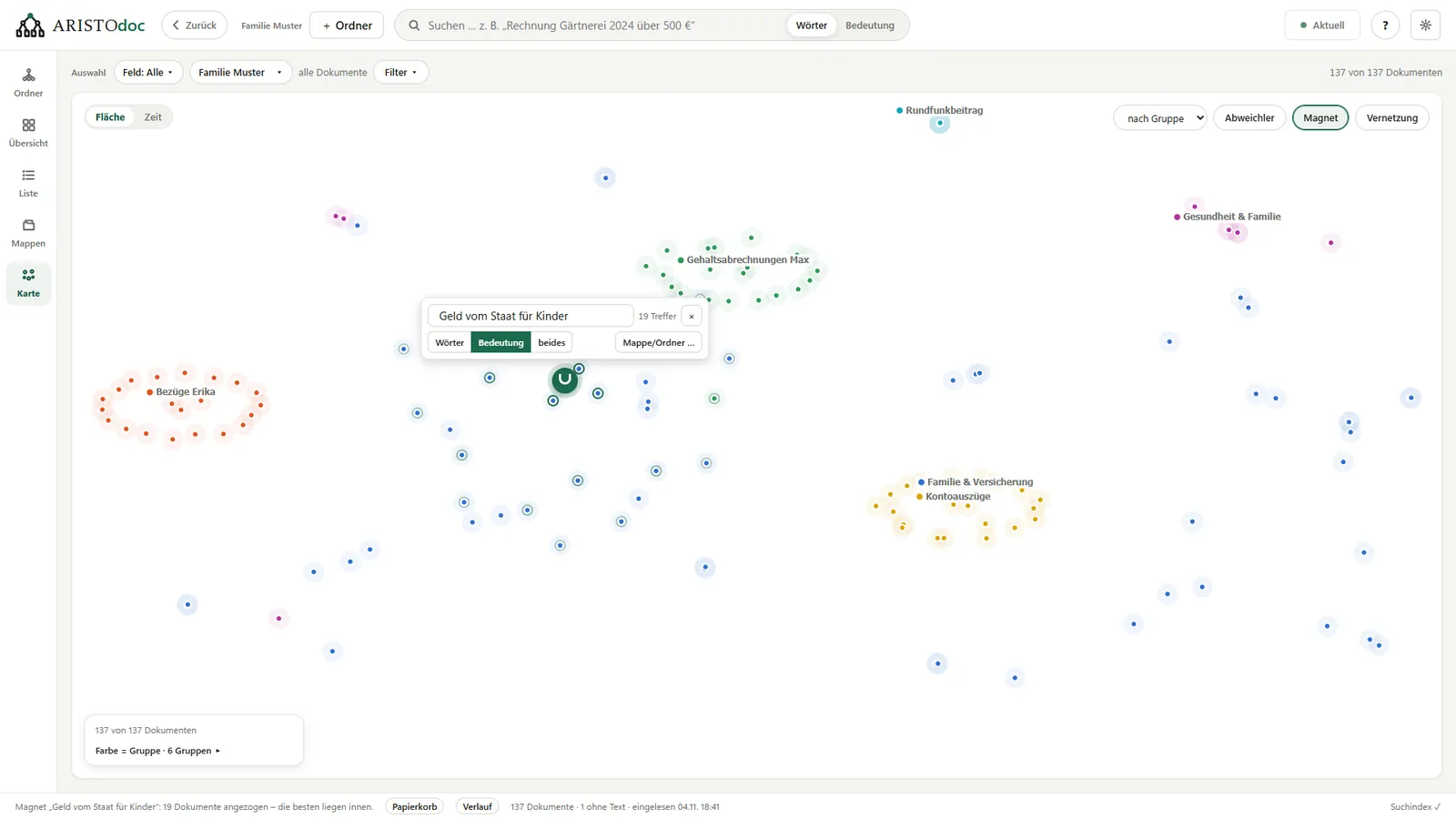
- Search in your own words: “money from the state for children” leads to the child benefit notice, even if those words do not appear in it.
- Aristodoc also understands requests such as “invoice from 2024 over 500” or “from the health insurer since March”.
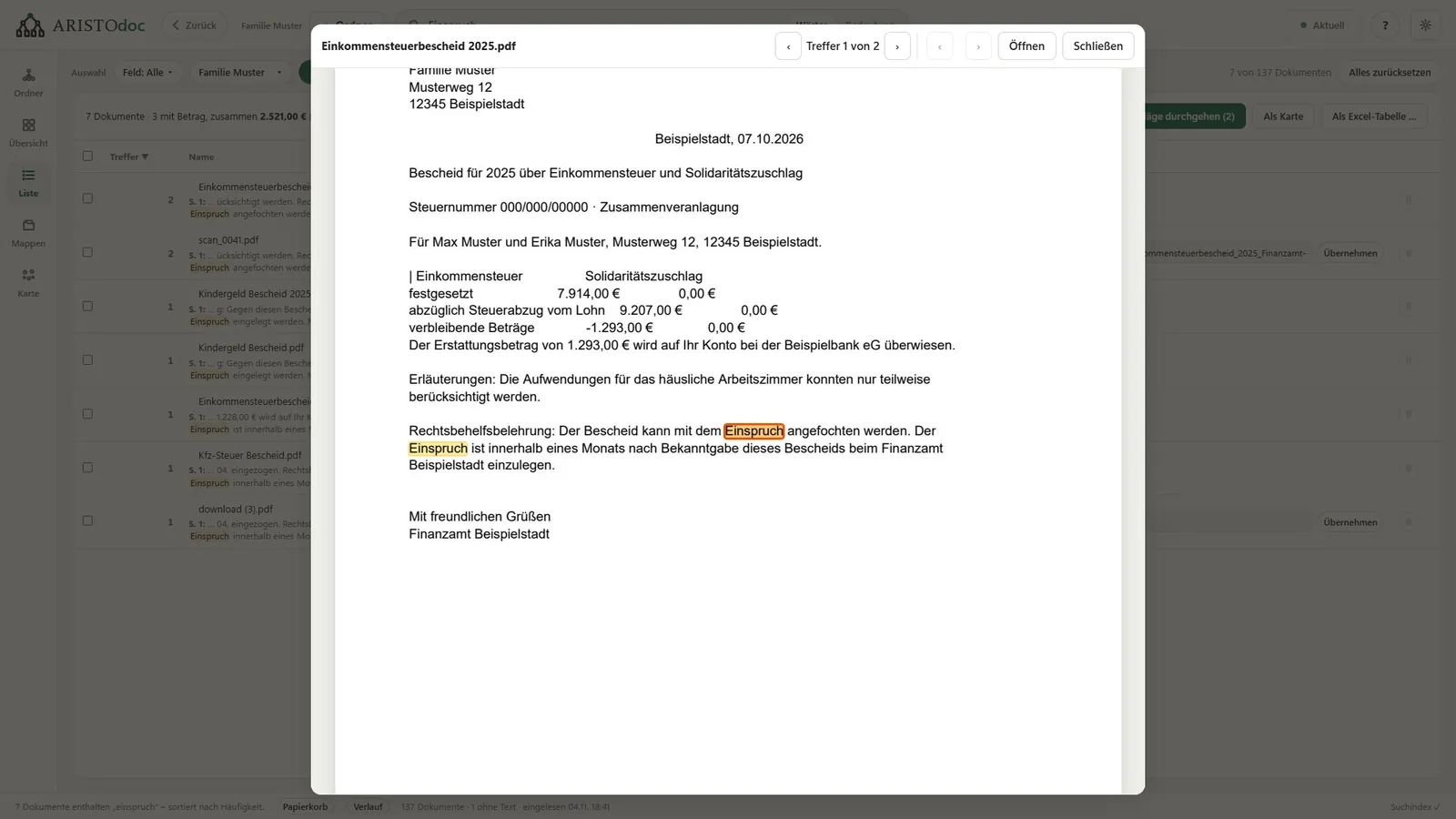
- A double click on a result shows the matches highlighted in the document.
Never miss a deadline
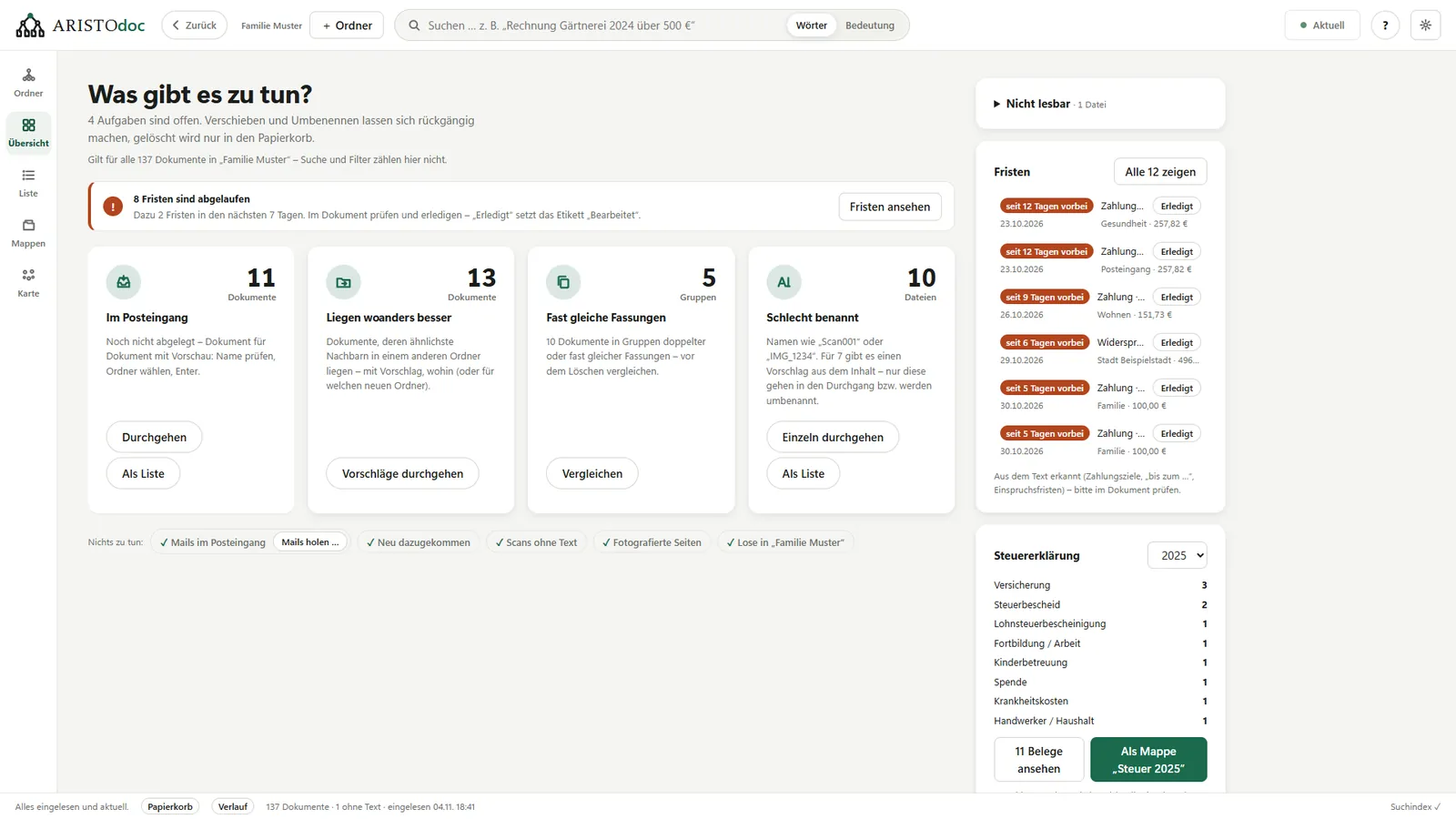
- Payment, objection and cancellation deadlines from your letters are collected in one place.
- Aristodoc reads the amount, the sender and the kind of letter from the text itself.
- The receipts for a tax return are quickly together.
Good to know: Recognition of deadlines and amounts is mature for documents in German and is still being developed for documents in English. Search, the map, duplicates and tidying up work with documents in any language.
Deadlines that Aristodoc finds are hints, not legal advice. Always check the date in the original letter.
An overview instead of folder chaos
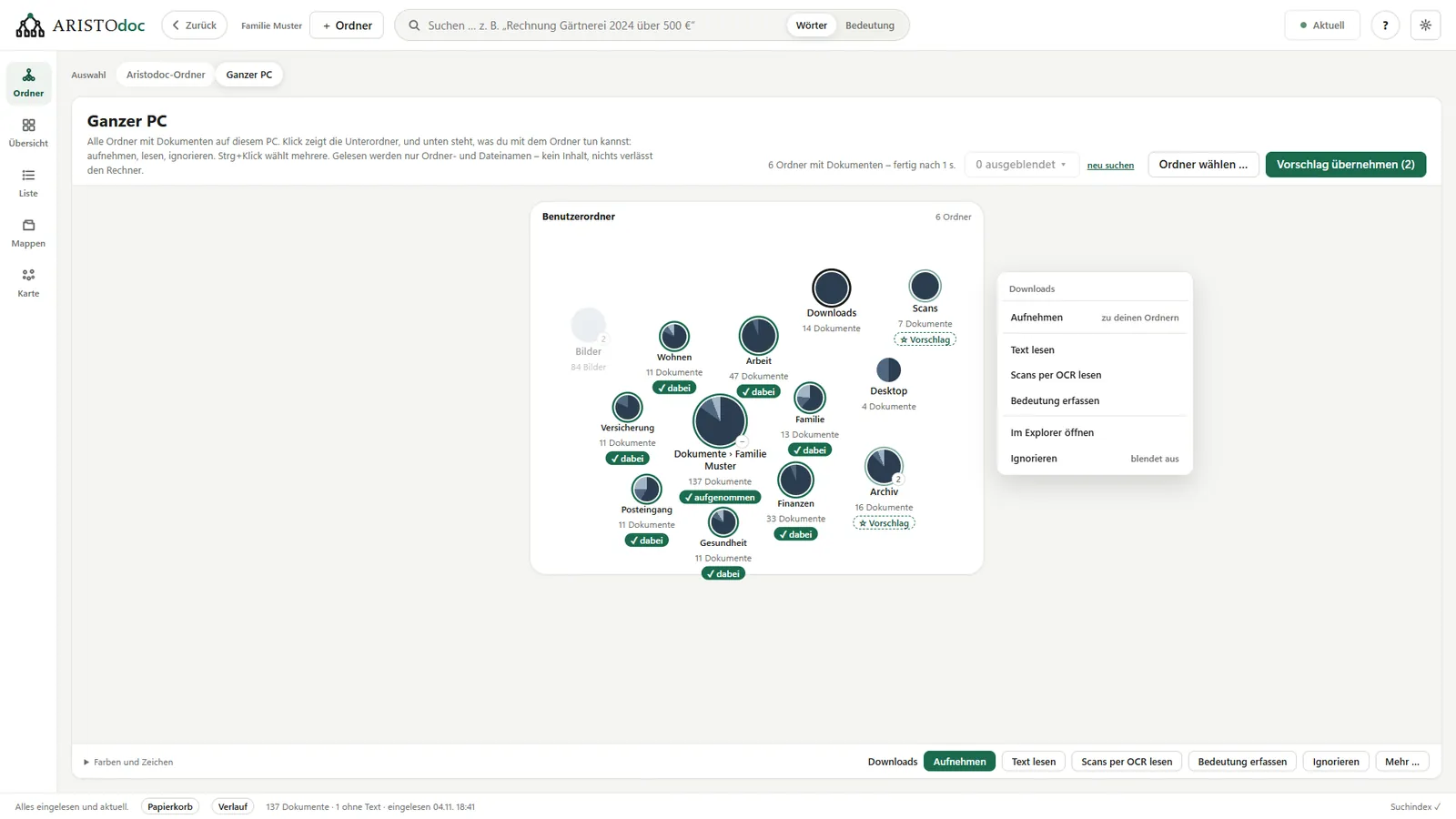
- On first start, Aristodoc shows where documents are on your PC at all, including cloud folders, USB sticks and network drives. For this it reads only folder and file names.
- You choose which folders are read. A map then places similar documents next to each other, or everything is shown by date, year by year.
- Folders can be shown as a tree, as boxes or as a list.
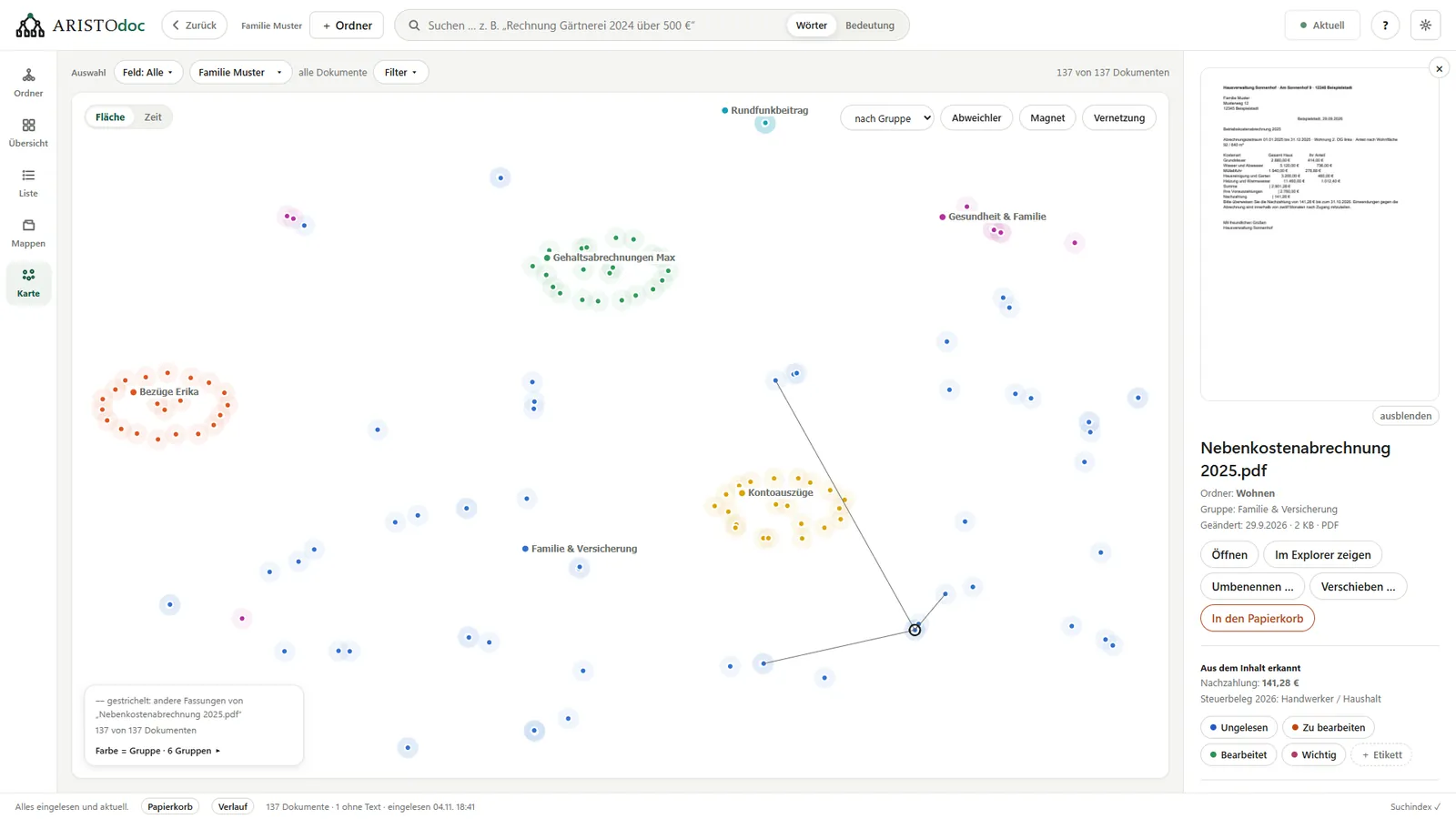
Tidying up only on request
- Find duplicate files.
- Better file names, such as “2025-03_Payslip” instead of “Scan_0047.pdf”.
- Suggestions for which folder a document belongs in, with a reason.
- Scans and phone photos are straightened and saved as searchable PDFs; pages photographed one by one are combined into a single document.
- Nothing is moved or renamed on its own. Deleted files go to a separate recycle bin first, and renaming and moving can be undone.
Email too
Aristodoc reads Outlook (.msg, .pst), Thunderbird and saved emails (.eml) like documents, attachments included. A mailbox can also be connected directly (IMAP, read-only).
All data stays on your PC
No account, no cloud, no usage statistics. Text recognition and search run on your computer, and Aristodoc does not send documents to the internet. The only connection to the outside is a mailbox you set up yourself, and only after you set it up. Details are in the privacy policy.
Aristodoc at a glance
Aristodoc is a free document management program for Windows with full-text search, text recognition (OCR) and search by meaning. It works without the cloud and without an account, right on your existing folders.
- Files: PDF, Word (.docx), OpenDocument (.odt), Excel (.xlsx, .xls), text files, photos of documents (JPG, PNG, TIFF, BMP), e-invoices (XRechnung, ZUGFeRD/Factur-X) and email (.eml, .msg, .pst, mbox).
- Text recognition: the one built into Windows, in every language installed there.
- Interface: English and German.
- System: Windows 10 and 11, installed from the Microsoft Store.
More
- Make scans and photos searchable
- Find deadlines in letters and notices
- Manage documents without the cloud
- Help and manual: every feature step by step
For Windows 10 and 11 · free · no account needed
Contact
Questions, bugs, wishes: kontakt@aristodoc.de