Deutsch · English
Aristodoc › Deadlines in letters
Find deadlines in letters and notices
“Payable by 14 November”, “objection within one month”, “cancel by 30 September”: deadlines sit somewhere in the text of a letter. Aristodoc picks them out and shows them in one place.
Which deadlines does Aristodoc find?
- Payment deadlines from invoices and reminders.
- Objection and appeal deadlines from official notices.
- Cancellation deadlines from contracts and the letters about them.
- Appointments, and dates by which documents have to be handed in.
- For e-invoices (XRechnung, ZUGFeRD/Factur-X), the due date comes exactly from the invoice data.
Where the deadlines are shown
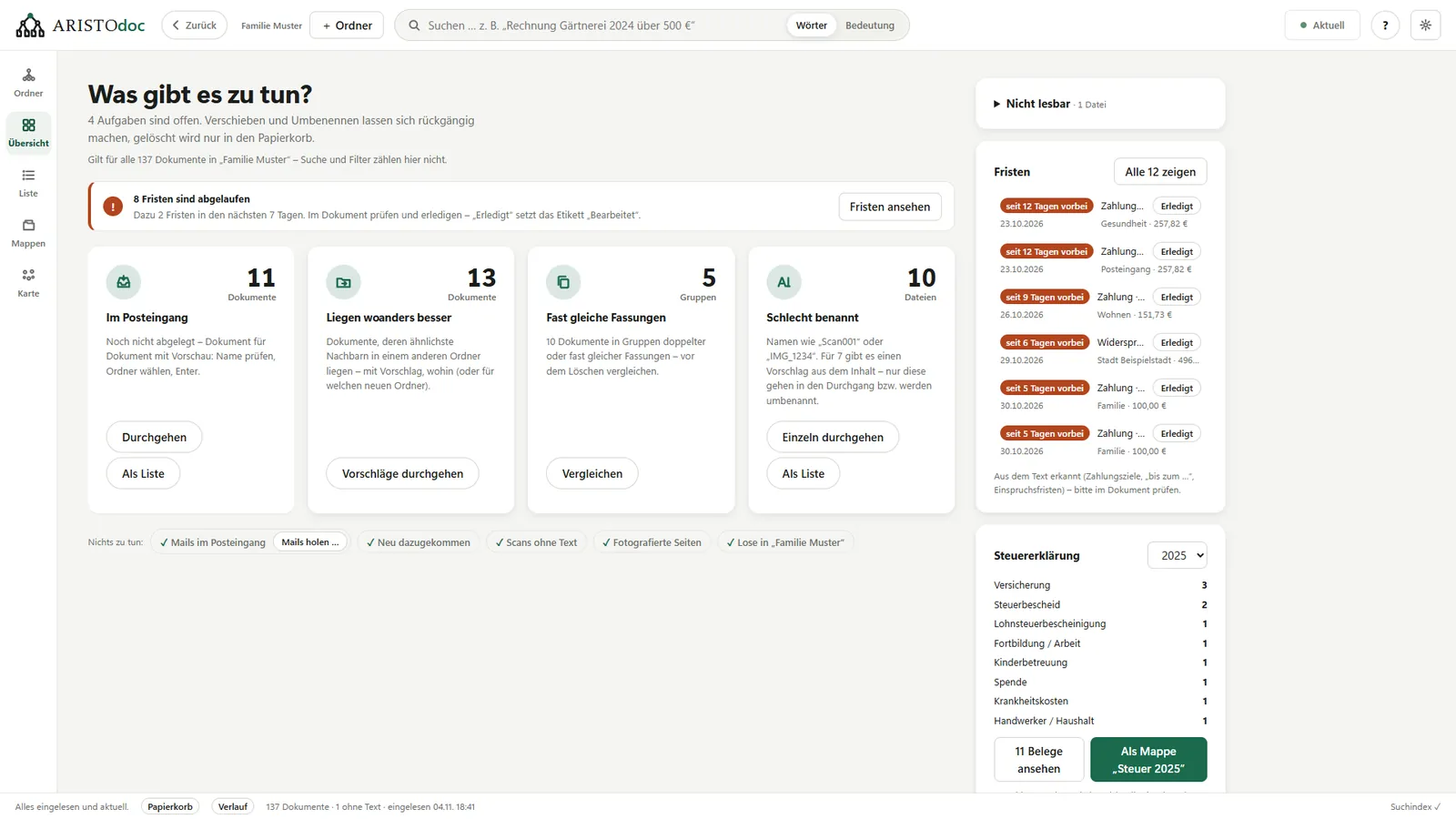
- The overview shows expired deadlines first, then the next ones, each with amount and folder.
- “Done” ticks a deadline off.
- Scanned letters and phone photos count too: Aristodoc reads them first with text recognition.
What else Aristodoc reads from a letter
- The amount: total, refund or additional payment.
- The sender and the kind of letter, such as invoice, notice or contract.
- Receipts for the tax return, collected by year.
How reliable is it?
Recognition is built to be cautious: better no deadline than a wrong one. Periods such as “from 1 March to 31 March” and boilerplate such as “within 8 weeks” for direct debits do not count as deadlines. Recognition is mature for documents in German and is still being developed for documents in English.
Deadlines that Aristodoc finds are hints, not legal advice. Always check the date in the original letter.
Everything stays on your PC
Aristodoc reads your letters on your own computer. No document goes to the internet for this. More under Manage documents without the cloud.
Get it from the Microsoft StoreFor Windows 10 and 11 · free · no account needed